
Make room for your day.
A reading queue, a calendar, and a quiet place to browse. Keep what matters nearby and leave the rest out of the way.
Explore Daily DriverV3 IS HERE 3.0.2
One browser. Room for your whole day.
Browse, learn, create, compare, and plan in one native Windows browser. Bring the pages you need together. Choose a Work Mode. Make the space your own.
Silent recording · Light and dark appearances
The video could not load here. Open the recording directly.
For everyone means everyone
It is how you turn an intention into something done. Study for a class. Compare a purchase. Plan a trip. Make something. Coordinate a project. Or simply enjoy the web without the clutter. You do not need to be an engineer to want a browser that works your way.
Your life. Your interests. Your way of getting there.
Everyday possibilities
Put a lesson beside your notes, compare alternatives, or keep a project beside its references. Choose the layout and Work Mode that suit what you came to do.
A reading queue, a calendar, and a quiet place to browse. Keep what matters nearby and leave the rest out of the way.
Explore Daily DriverPut a lesson beside your notes and practice. Build a space for the way you learn, whether it is for school or just for you.
Explore Research DeskBring references, a brief, an editor, and a preview together. Make room for writing, art, video, or your next side project.
Explore Creator StudioCompare a purchase, explore a question, or review your sources side by side. Keep the details close to the decision.
Explore Research DeskBring travel ideas, household tasks, or a shared project into one useful space. Your life is not a collection of unrelated tabs.
Explore Daily DriverConnect the context around code, consoles, documentation, and runbooks. Technical work belongs here too—it does not define who belongs here.
Explore Operator ModeMission Control
A lesson beside your notes. A purchase beside the alternatives. A project beside its references. Mission Control brings multiple live pages into one workspace—without making a wall of separate windows your starting point.
Keep the page you are working in as the target for navigation and commands. Native Dual, Tri, Quad, and Focus Pane controls arrange the browser’s real tabs.
Saved workspaces bring tabs, groups, split layouts, and the selected mode back together. They reopen your places on the web; they do not promise to recover unsaved forms or transfer signed-in sessions.
For tasks that need a record, Mission Control brings runbooks, checkpoints, timeline entries, and evidence markers into the workspace. Review what you share and keep private information out of exports.
Inside version 3
Explore the actual v3.0.2 interface, from a focused mission to four active browser views. Select a view, then expand the image for a closer look.
Current v3.0.2 screenshots and frames from the full demo.
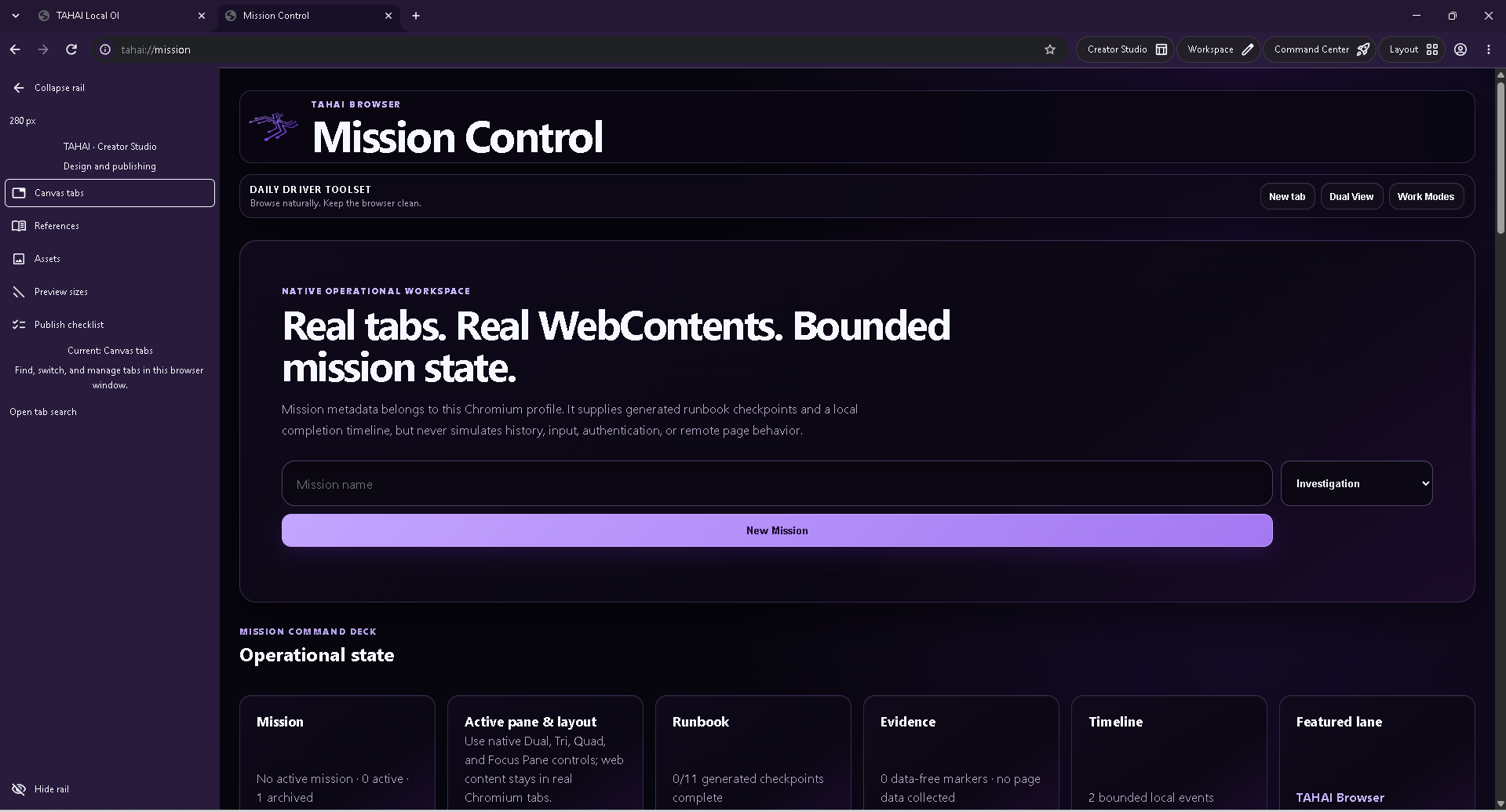
Create a mission and keep its active layout, generated runbook checkpoints, evidence markers, and local timeline together.
TAHAI BROWSER 3.0.2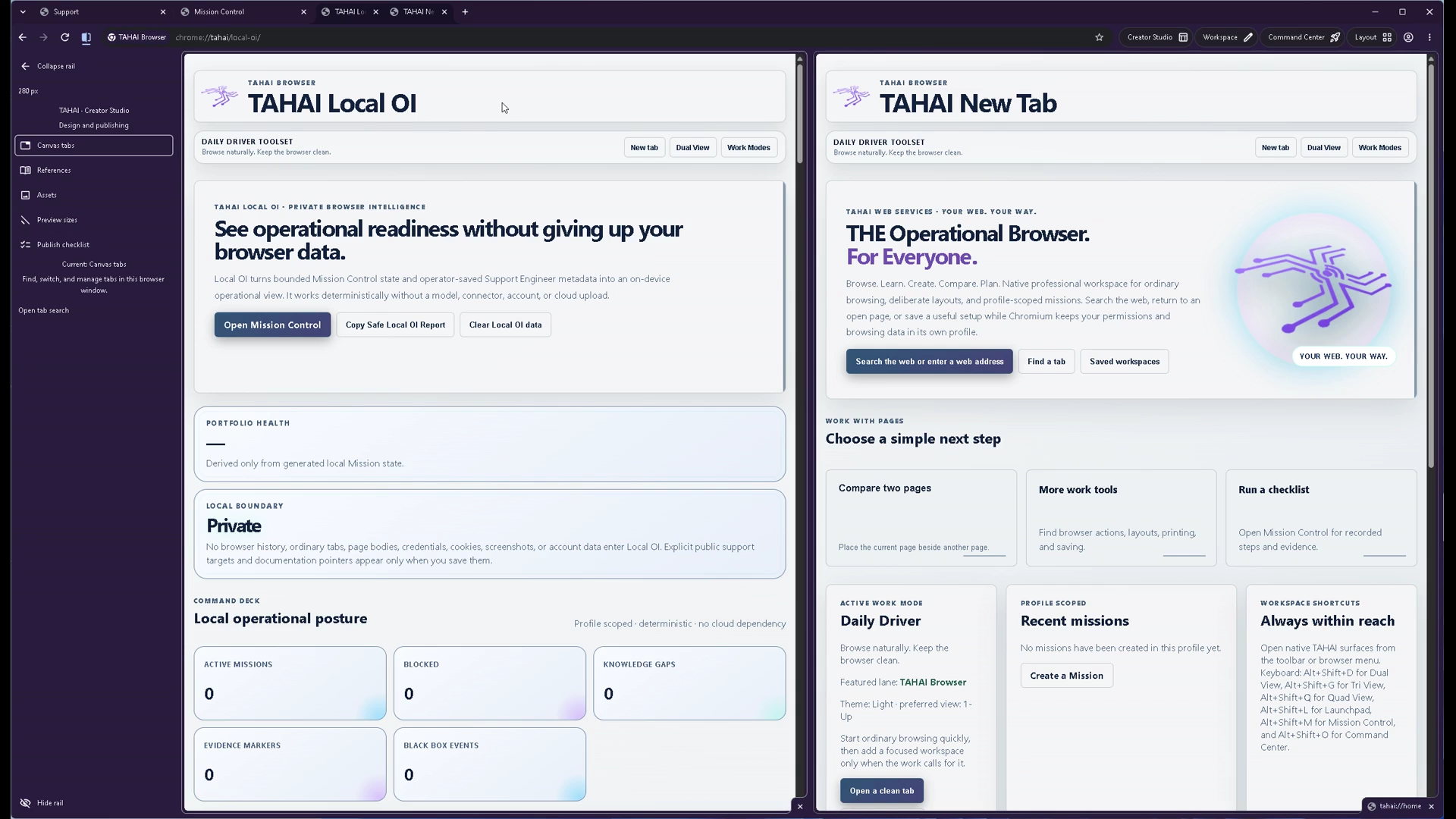
Keep Local OI beside a New Tab page, or arrange your own pair of browser tabs side by side.
TAHAI BROWSER 3.0.2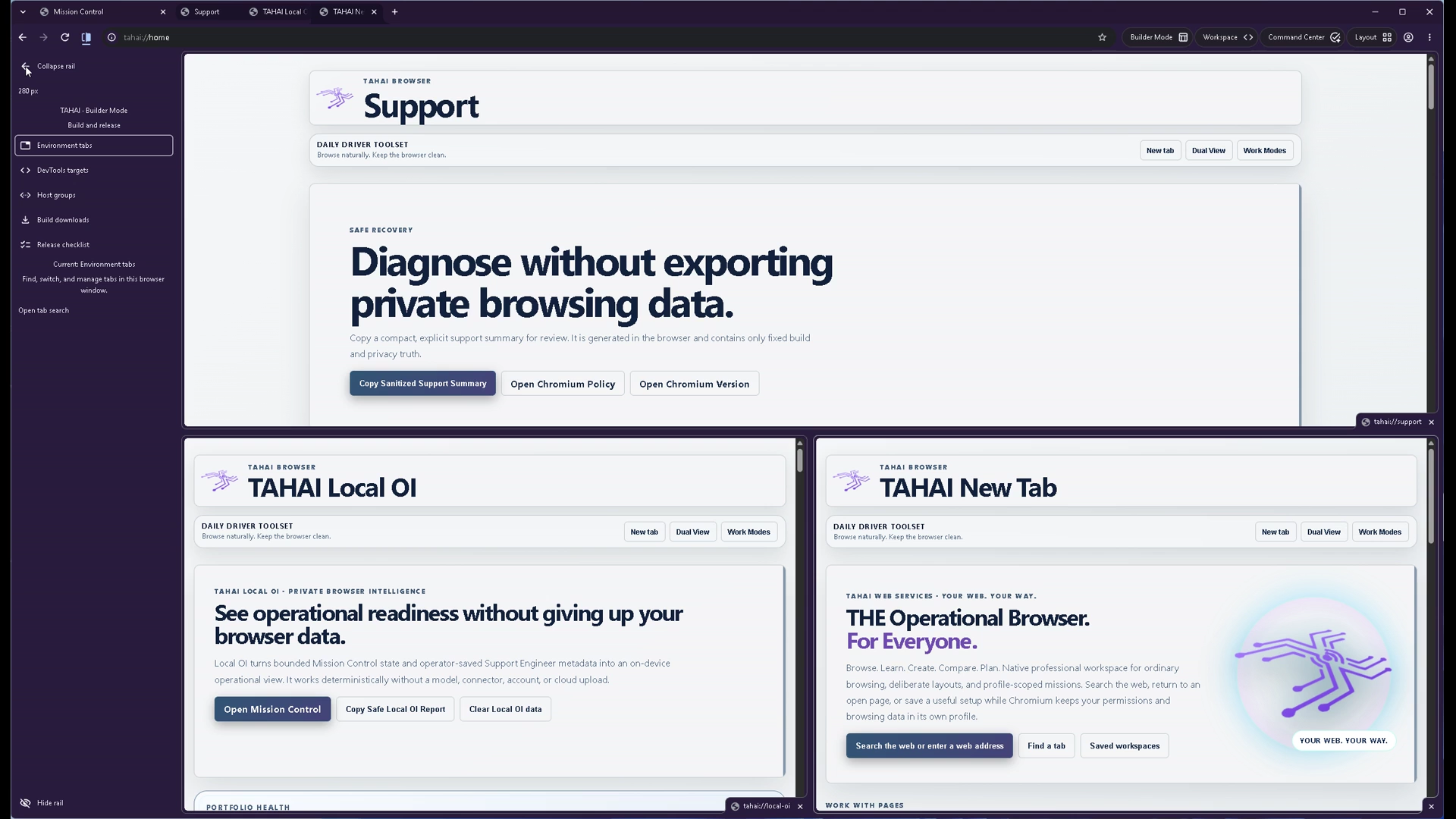
A wide Support pane sits above Local OI and New Tab in this three-pane layout from the demo.
TAHAI BROWSER 3.0.2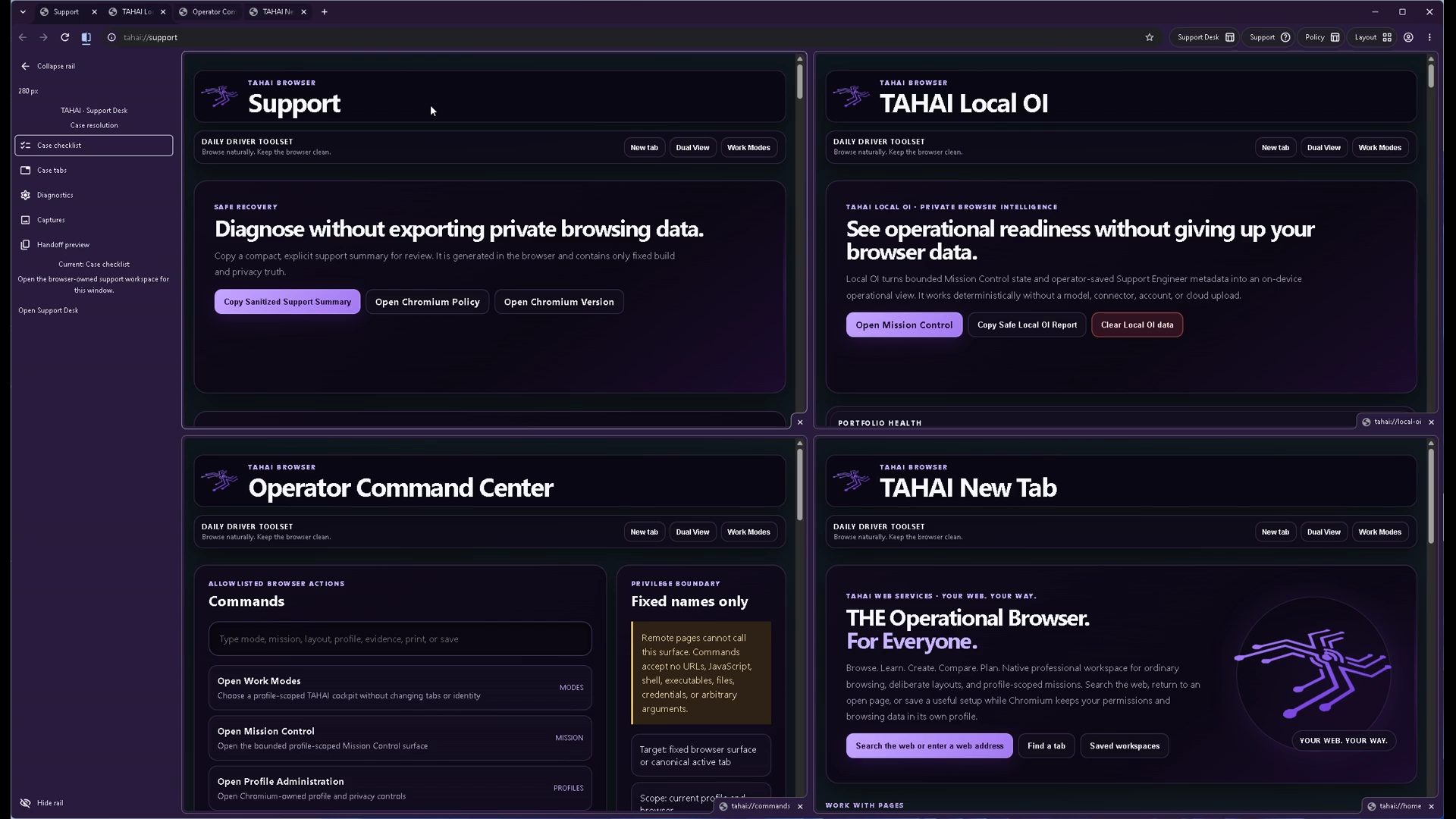
Support, Local OI, the Command Center, and New Tab share one dark workspace. Keep the context you need in sight.
TAHAI BROWSER 3.0.2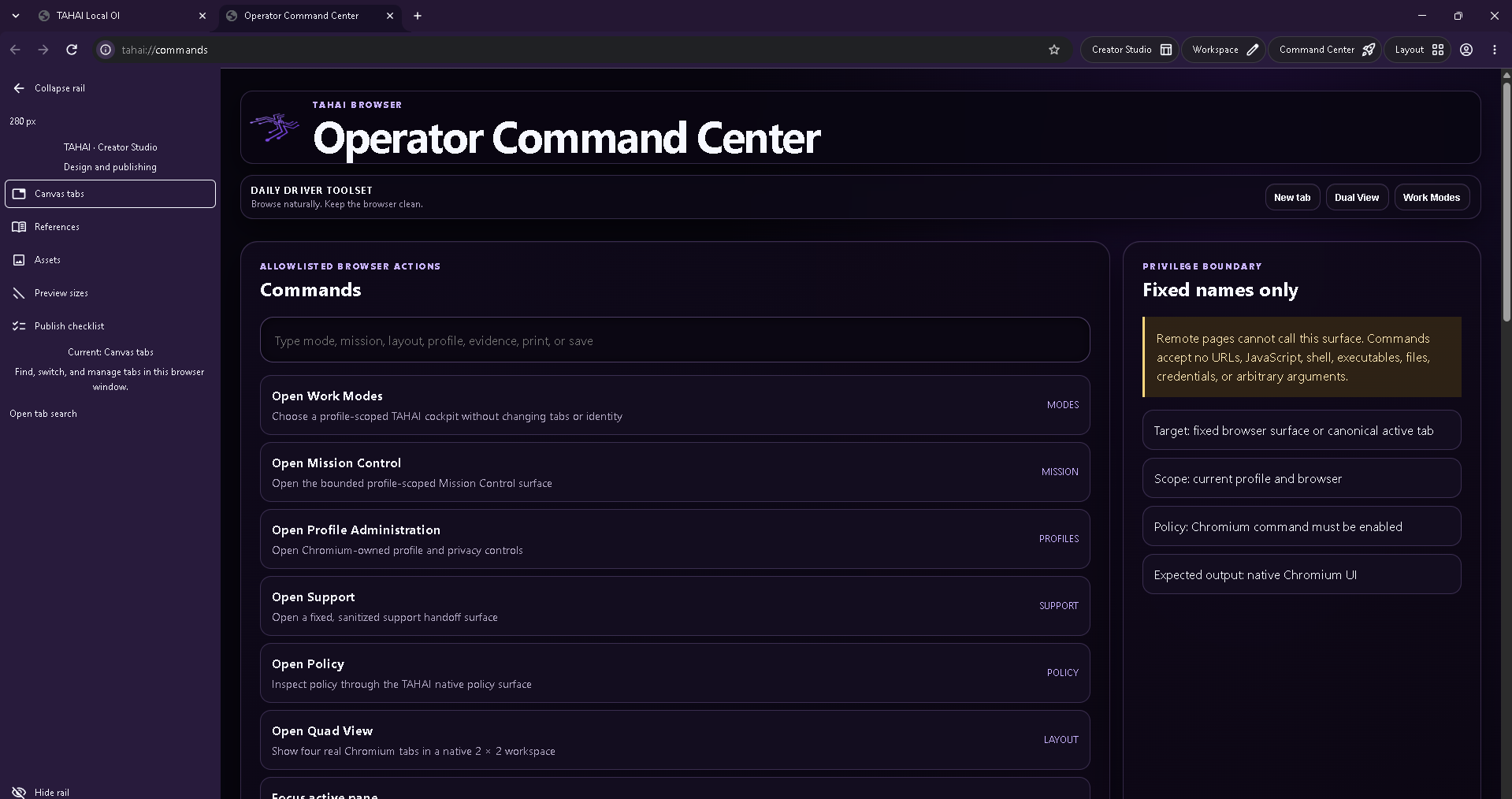
Find browser commands for Work Modes, Mission Control, profiles, Support, policy, and Quad View in one searchable surface.
TAHAI BROWSER 3.0.2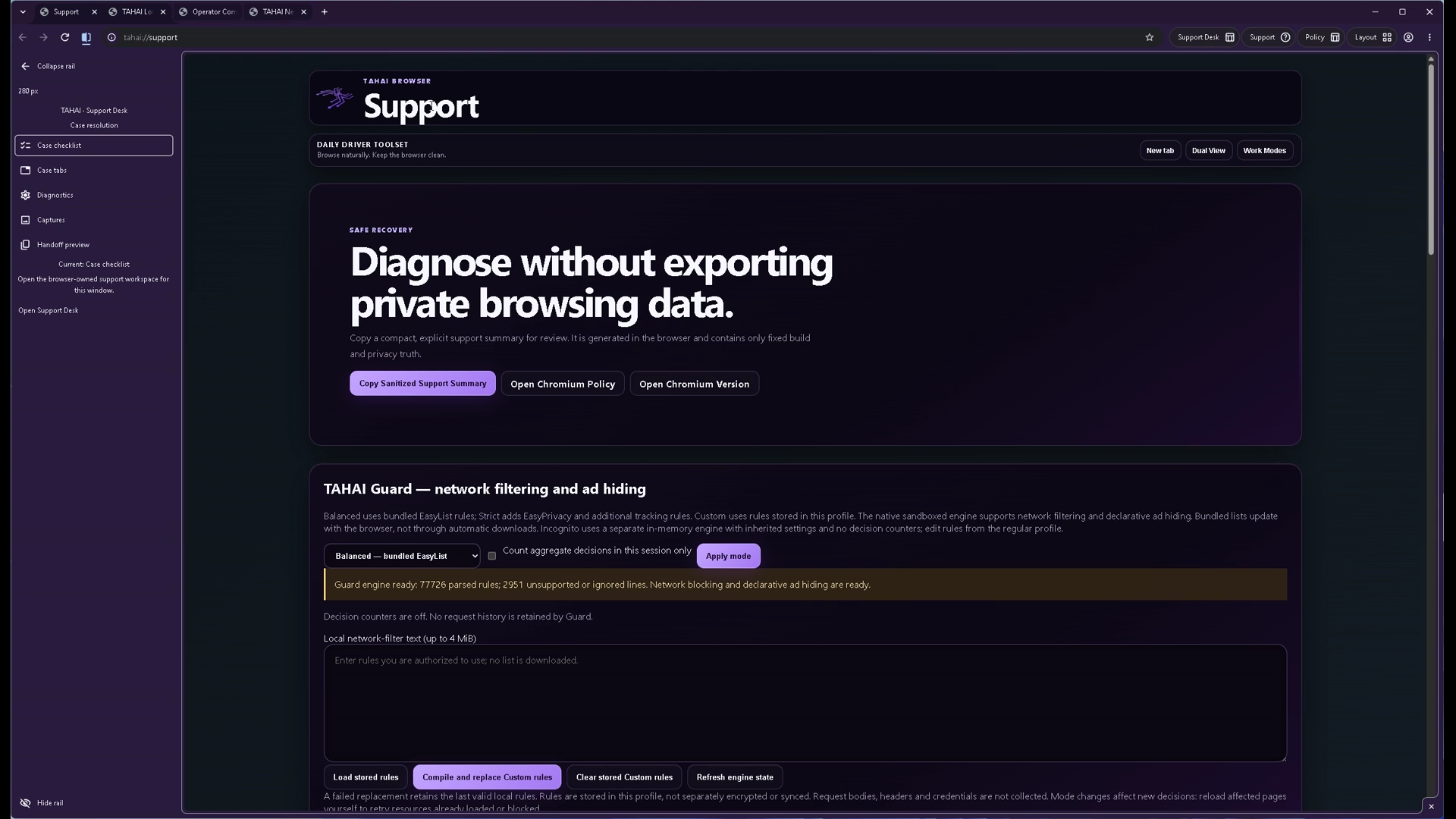
The Support surface brings a sanitized summary, Chromium policy and version shortcuts, and visible TAHAI Guard controls together.
TAHAI BROWSER 3.0.2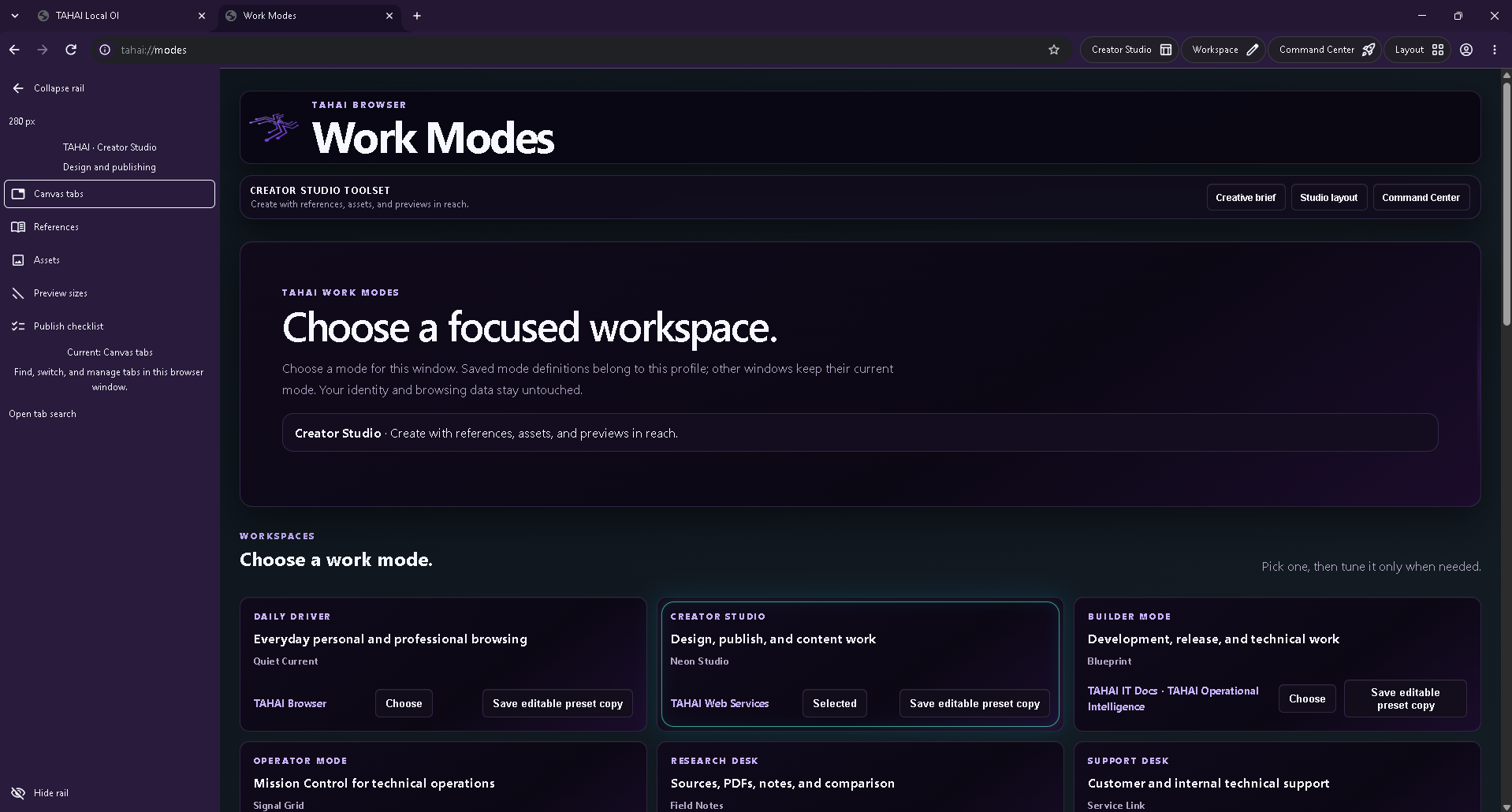
Six focused presets give everyday browsing, creating, building, operations, research, and support a place of their own.
Explore the six modes ↓TAHAI BROWSER 3.0.2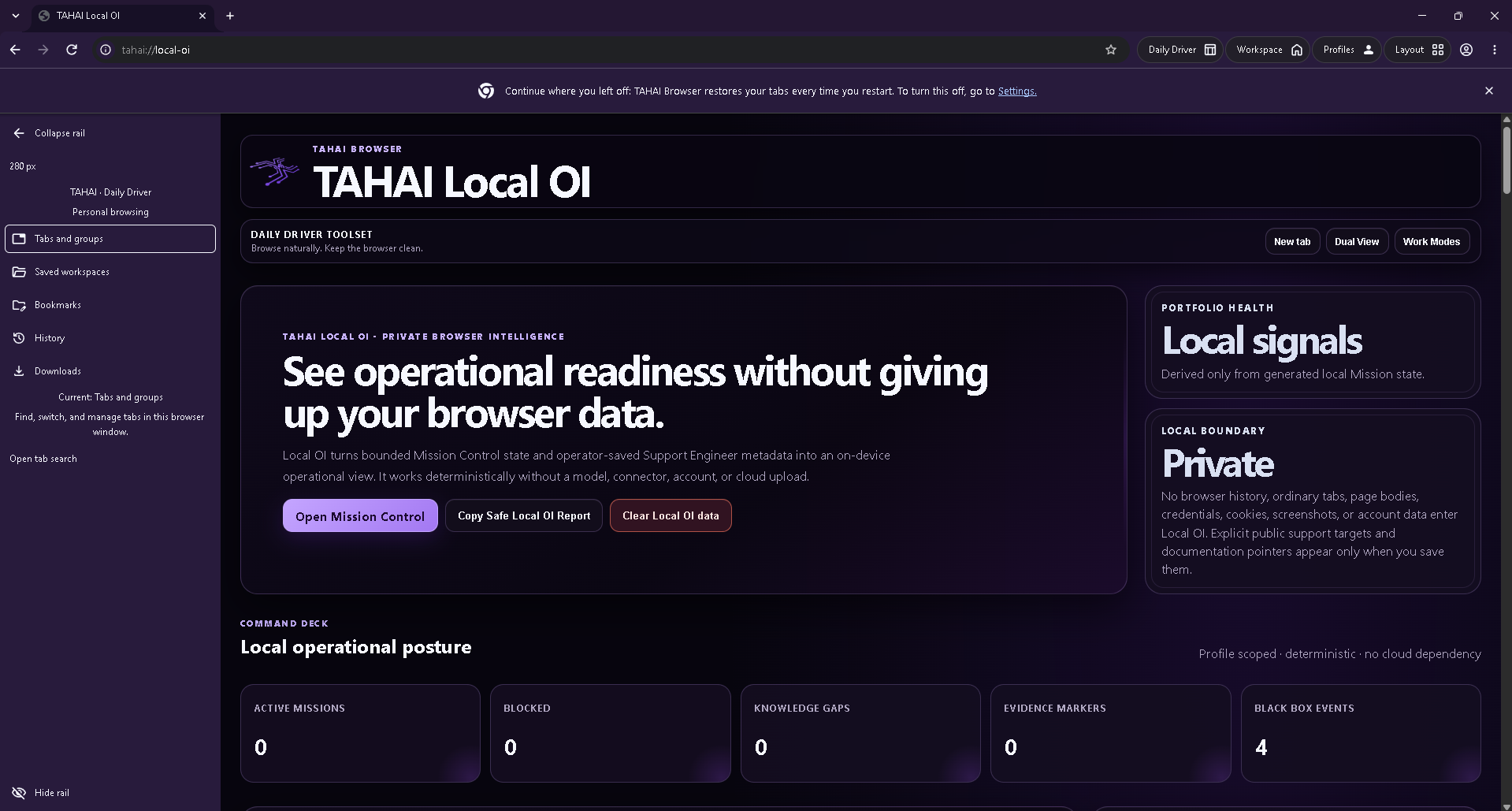
A local view of mission activity, blocked work, knowledge gaps, and evidence markers brings the operational picture together.
Meet Local OI ↓TAHAI BROWSER 3.0.2Six focused Work Modes
Pick a workspace for the task in front of you. Work Modes apply to the current window; saved mode definitions belong to its browser profile.
Daily Driver
A familiar place for personal and professional browsing. Bring tabs, bookmarks, history, downloads, and saved workspaces within reach.
Creator Studio
Keep design, publishing, and content work together. The Creator Studio rail puts canvas tabs, references, assets, preview sizes, and a publish checklist close at hand.
Builder Mode
Choose the workspace for development, release, and technical tasks. Keep the browser organized around what you are building.
Operator Mode
Choose the mode for technical operations and open Mission Control when you need the mission, active panes, and local operational context together.
Research Desk
Choose a workspace for sources, PDFs, notes, and comparison. Put related browser pages beside one another as you work through a question.
Support Desk
Choose the mode for customer and internal technical support. Open the Support surface for a sanitized summary and browser diagnostics shortcuts.
Interface shown: Work Modes with Creator Studio selected. Use the tabs to explore each mode.
The mode selector includes editable preset copies, so you can start with a focused workspace and make it your own.
TAHAI Local OI · in version 3
Local OI brings mission activity, blocked work, knowledge gaps, evidence markers, and recorded events into an on-device operational view.
Built from bounded Mission Control state and operator-saved Support Engineer metadata, Local OI works deterministically without a model, connector, account, or cloud upload.
Skins are operational. Period.
“Skin is the operational layer for our bodies’ interaction with the external world. Do more than change the look, redefine your operational layer.”
That is the idea behind TAHAI operational skins: not decoration over a fixed browser, but a way to shape how you meet the web.
Native foundation
TAHAI Browser v3 brings windowing, tabs, profiles, navigation, downloads, and Mission Control into a native Chromium browser foundation.
The familiar Chromium browser foundation meets TAHAI’s Work Modes, native pane layouts, and local operational surfaces.
Mission Control is part of the browser model—not a web page pretending to be one.
Saved arrangements keep browser context together. Authenticated sessions stay within their Chromium profiles; a shared design is not a copy of someone’s private browsing state.
Remote pages stay untrusted. Sensitive exports stay deliberate. Privileged boundaries stay narrow.
Published packages and development source have different release states. The official Store listing is the place to get the released Windows package.
The principles behind the product
TAHAI must earn the right to be a daily browser before asking users to care about its flagship systems.
Mission Control, tools, evidence, and policy surfaces stay available without turning ordinary browsing into a cockpit by default.
Modes may recommend. They do not silently rearrange tabs, change identity, move workspaces, or inspect secrets.
Clear release truth, known limitations, open-source review, and supportable behavior matter as much as the visual polish.
Operational skins · product direction
A research desk, a learning space, a comparison workspace, or a creative studio. The goal is one skin you can design around the way you see, arrange, and use the web—with the websites and services you choose.
The offline creator kit covers the v1 appearance format: supported colors, artwork, and package rules. Format v1 identifies the skin package format and is separate from the browser’s version number.
Check your browser version for compatible skin support. Expanded operational-skin capabilities are planned.

Appearance, layout, modes, and workflows belong in the same creative process. Behind that experience, permissions stay separate: installing a skin must never silently authorize website actions or access to private data.
Explore the operational modelThe creator experience we are building toward
Browser tools in v3
Reach the browser’s own tools from a focused command surface, and keep support information close when you need it.
Search fixed browser commands for Work Modes, Mission Control, profile administration, Support, policy, and Quad View.
Explore the current interface ↗The Support surface brings a sanitized summary, Chromium policy and version shortcuts, and visible network filtering and ad-hiding controls into one place.
See Support in the demo ↗Get TAHAI Browser
The official Microsoft Store listing is the download route for the published Windows release. The public repository is where native Chromium development moves forward.
This site showcases version 3.0.2. Check the Microsoft Store listing for the package currently offered to your device.
The official Windows listing
Active browser development
Source kit and starter package
Useful to know
Layouts, modes, privacy, and getting started.
The 49-second recording shows version 3.0.2 with single, Dual, Tri, and Quad layouts, light and dark appearances, the Operator Command Center, Support, TAHAI Guard, and Work Modes. Mission Control and Local OI also appear in the multi-pane layouts.
Daily Driver, Creator Studio, Builder Mode, Operator Mode, Research Desk, and Support Desk. Choose a mode for the current window and use editable preset copies to customize your workspace.
Local OI works deterministically from local mission state and operator-saved support metadata. It does not require a model, connector, account, or cloud upload.
No. TAHAI is for everyday browsing, learning, creating, comparing, planning, building, and technical operations. “Operational” describes a browser that supports what you are doing—not a job title, a business account, or a level of technical expertise.
No—that is not the product direction. TAHAI skins are being developed as operational layers that can bring appearance, layout, modes, tools, and workflows together. The current v1 creator kit is the appearance foundation; the expanded operational format and editor are planned work.
A Work Mode organizes a particular activity. The operational-skin direction lets creators bring modes together with the visual surface, workspace arrangement, and workflows. These are complementary parts of one experience, not “skins for looks” versus “modes for work.”
It must not. The operational-skin design keeps appearance and layout separate from permissions. Sensitive reading, sending, publishing, or other external actions need explicit, scoped authorization. Normal websites keep their own sign-in and permission boundaries.
It describes who TAHAI is for. The installation route promoted here is the Windows Microsoft Store listing. It is not a claim that native macOS, Linux, Android, or iOS releases are currently available.
The Microsoft Store listing identifies the Windows package currently offered to your device. This walkthrough was recorded in version 3.0.2. The skin creator page labels the appearance format and the wider operational-skin direction separately.
TAHAI Browser v3 uses a native Chromium foundation, with familiar browser controls, native pane layouts, focused Work Modes, and local operational surfaces.
Use GitHub Issues for bugs and suggestions. Tell us what you were trying to do. For a bug, include your browser version and reproduction steps, but leave out credentials and private information.

Your next chapter starts here
Your web. Your way. Start with the published Windows release.